Most AI social media posts sound like they could belong to anyone. You asked ChatGPT for a caption, got something polished and fine, and nobody stopped scrolling for it.
The tool did what you asked. You gave it a blank page, so it gave you the most average answer it could find. The fix is a better brief, and it takes about five minutes.
Why AI social media posts all sound the same
A language model writes the most likely next word. When it knows nothing about you, “most likely” means “most common”. That’s why AI captions keep opening with “In today’s fast-paced world”, stack three adjectives in a row, and end with “What do you think?”. The gap is in the brief.
Think about how you’d brief a human ghostwriter. You wouldn’t say “write a post about productivity” and walk away. You’d send examples, explain who it’s for, and say what you want people to do. AI needs the same thing, and most people skip it. When it doesn’t know who the post is for or how you talk, it guesses, and its guesses come out beige.
How to make AI social media posts sound like you
Five easy fixes turn generic AI social media posts into ones that sound like you. You don’t need all five every time, but each one you skip is a gap the AI fills with filler.
1. Paste three of your own best posts
Your past posts are the best voice guide you have for AI social media posts. Pick three that got real replies, not just likes, and paste them in with one line: “Match the sentence length, tone and opening style of these.”
Example: A career coach pastes three short posts that each open with a client situation (“Last week a client told me she’d rewritten her CV nine times”). The AI starts opening with situations too, instead of “Are you struggling with your job search?”
2. Name one reader in one situation
“Small business owners” is a crowd. “A freelance designer who just lost her biggest client and has two weeks to replace the income” is a person. The more specific the reader, the more specific the words.
Example: Same topic, pricing. Brief A: “Write about pricing for freelancers.” Brief B: “Write for a freelancer who has charged the same day rate for three years and is scared a raise will lose her clients.” Brief B gets you lines about fear and timing. Brief A gets you “Know your worth”.
3. Give it one detail only you have
AI can’t invent your Tuesday. Give it one real thing: a number from your own account, a sentence a client said, the mistake you made last month. One true detail does more for a post than ten clever phrases.
Example: “I posted every day for 30 days and my best post was the one I almost deleted” beats any generic line about consistency. Only you know that story, so only you can hand it over.
4. Say the one thing you want readers to do
AI social media posts with no goal end with “Thoughts?”. Decide before you write: should people save it, reply, or click? Then say it in the brief. “End with a question that makes people share their own pricing mistake” gives the AI a target.
Example: For a reply-driven post on Threads, ask for a closing question with two clear sides (“Raise prices in January or wait until spring?”). People answer questions they can pick a side on.
5. Hand over your banned list
Every creator has words that make them cringe. Write yours down once and paste it into every brief: no “hustle harder”, no “your potential is limitless”, no rocket emojis, no “In today’s world”.
Example: If you never use exclamation marks, say so. If you write in lowercase on Threads, say so. The AI will follow a rule you state. It won’t guess a rule you don’t.
Make it interview you first
The fastest way to make AI sound like you is to let it ask. Add this to the start of your request:
Before you write, ask me five questions, one at a time: who this is for, what I want them to do, what they already believe, one real example I can share, and how I want it to sound. When you have enough, summarize what you understood in three bullets, then write the post.
Answering takes two minutes. The three-bullet summary is where you catch a wrong assumption before it ends up in your caption.
Example: You ask for a LinkedIn post about raising your rates. The AI asks who it’s for. You say “consultants who undercharge because they started cheap”. It asks for a real example. You give the client who said yes to double the price without blinking. Now the post has a person and a moment in it.
Edit like a human: three quick passes
Even well-briefed AI social media posts are drafts, not finished posts. Three passes take five minutes.
- Cut the warm-up. Delete the first sentence and see if the post still works. It usually works better.
- Swap one generic for one specific. Find the vaguest line (“this can really help your business”) and replace it with a fact, a number or a name.
- Read it out loud. If you’d never say it to a friend over coffee, rewrite it until you would.
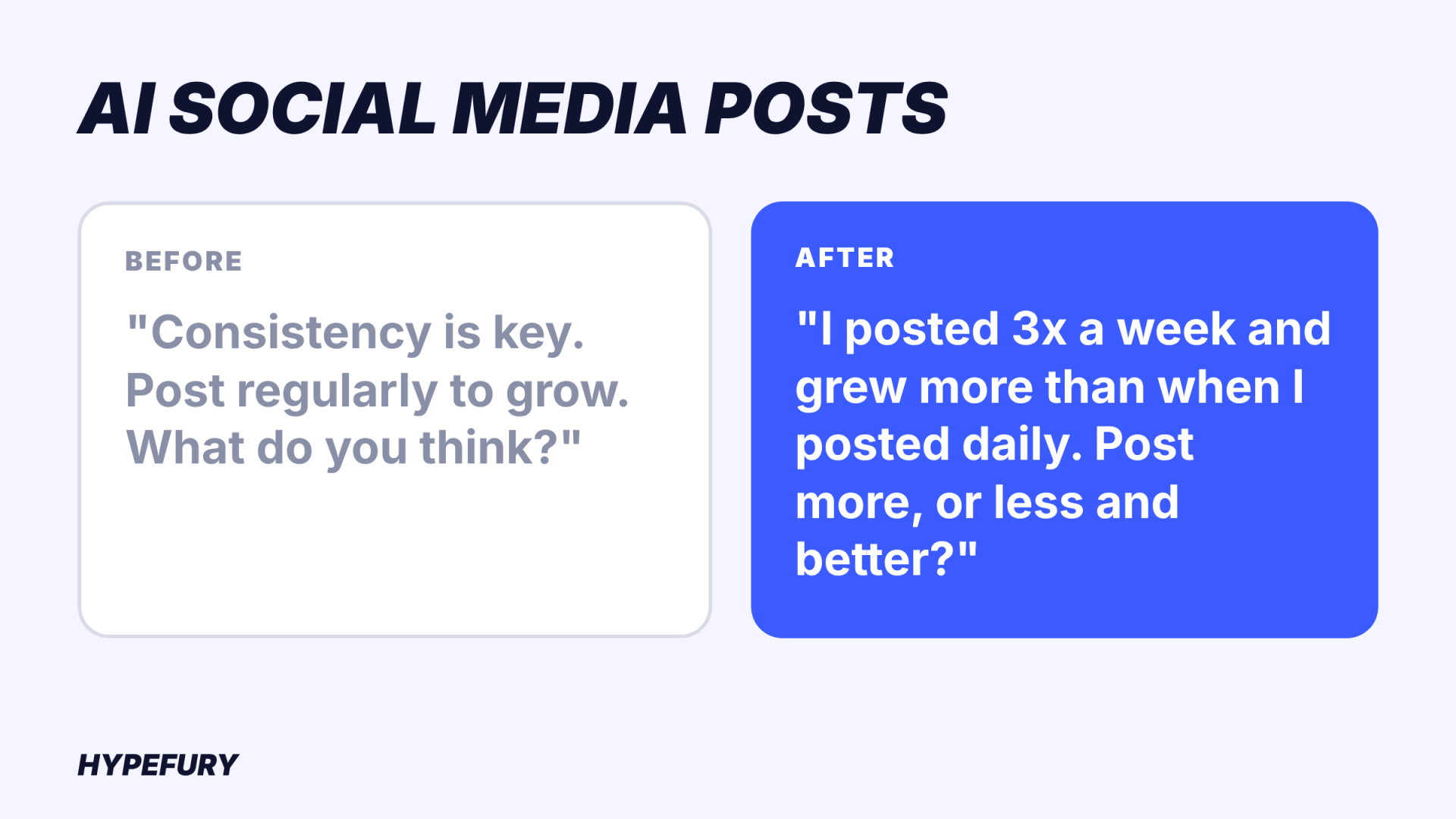
Before:
In today’s fast-paced digital world, consistency is key. Posting regularly can help you grow your audience and build trust. What do you think?
After:
I posted 3 times a week for a month and grew more than in the 6 months I posted daily. What changed: I stopped posting things I didn’t care about, and people noticed. Do you post more, or post less and better?
[Image: the before and after captions as one graphic. Alt text: AI social media posts before and after editing]
The second version has a number, a confession and a question with two sides. (The numbers in this example are made up for illustration. Use your own.)
Where Hypefury fits
Hypefury writes AI social media posts the same way this guide does: from your own posts. When you sign up, it reads your real posts and writes your starter posts in your voice, with no invented facts. The analysis screen shows which posts it read, so you can see what it learned from.
After onboarding, it keeps going. “Write with AI” on an empty queue slot writes a post for that slot, and “Fill my week with AI” writes one post per empty slot. You confirm every post before it goes out. Write it once and the composer copies it to every platform tab (Instagram, Facebook, Threads, LinkedIn, TikTok, Bluesky), splitting anything too long for Threads or Bluesky into a thread.
The AI drafts. You bring the detail only you have, and you press approve.
FAQ
Can people tell when a post is written by AI?
Often, yes. Readers spot the same tells: a staged opener, three adjectives in a row, a vague closing question, words nobody uses out loud. Wikipedia keeps a public list of them, Signs of AI writing. AI social media posts built from your own examples and one real detail are much harder to spot, because those are the parts AI can’t produce on its own.
How do I make ChatGPT captions sound like me?
Give it your own writing. Paste three of your best posts, describe one reader, add one real detail, and list the words you never use. Ask it to interview you before it writes, then edit the draft in three passes: cut the opener, make one line specific, read it out loud.
Can AI write LinkedIn posts that sound human?
Yes, if the brief is human. LinkedIn rewards a clear insight or result in the first line and plain business language. Brief the AI with a real result from your work and the one question you want people to answer, and cut any line that sounds like a press release.
Agree or disagree?
Our take: generic AI social media posts come from empty briefs. Think we’re wrong? Prove it: reply to our latest post on Threads with the worst AI caption you’ve ever been handed.