An Instagram email list is the part of your audience that no algorithm can hide from you. You post, reach dips for a week, and the people who loved your last carousel never see the next one. This guide gives you five small steps to move followers from Instagram into your inbox, even if your account is small.
Why an Instagram email list beats more followers
Followers are rented. Instagram decides how many of them see each post, and it can change that rule on a Tuesday without telling you.
An email lands in an inbox you were invited into, so you can write to those people whenever you open client spots or launch something.
Picture two coaches. One has 3,000 followers and no list. The other has 900 followers and 150 subscribers.
When both open five discovery call slots, the second coach sends one email and gets replies the same day. The first one posts a story and hopes.
Once you sell anything, your Instagram email list matters more than your follower count, because it’s the only group you can reach on the day you need them.
Step 1: Pick one freebie your follower wants this week
Your freebie (the lead magnet) is the reason someone hands over their email. Keep it small enough to use tonight. A one page checklist gets opened; a 40 page ebook usually sits in downloads.
Good freebies answer the question people already ask in your comments. Scroll your last ten posts and look for the question that keeps coming back.
Worked example: a career coach keeps getting asked “what do I say when they ask about salary?”. Her freebie becomes “The 6 salary answers I give my clients”, one page, made in Canva in an afternoon.
A few formats that work for solo creators:
- a checklist or cheat sheet
- a swipe file of templates (emails, DMs, captions)
- a short email course, 3 to 5 days
- a recorded mini workshop under 20 minutes
Pick one. You can add more later, once the first one proves your Instagram followers want it.
Step 2: Choose one keyword and put it in the post
People won’t leave Instagram to hunt for your signup page, so make joining your Instagram email list one word long.
Choose a keyword that is short, easy to spell and tied to the freebie. “SALARY” works. “FREEGUIDE2026” does not, because nobody types that correctly on a phone.
Then teach one useful piece of the freebie in the carousel and save the full version for the people who comment.
Worked example: the career coach posts a carousel called “3 salary answers that cost you money”. Slide 1 is the hook, slides 2 to 6 show the bad answers and the fixes, and the last slide says: “Want all 6 answers? Comment SALARY and I’ll send them.”
One keyword per post keeps it clean. If you ask people to comment, save, share and click the link in bio, they do none of it.
Step 3: Let the DM deliver the link
This is where most creators stall. Fifty people comment SALARY, and now you are copying the same link into fifty DMs at midnight.
Hypefury Auto DMs handle that part for Instagram. You set the keyword on the post, write the DM once, and anyone who comments that keyword gets the message automatically. You can schedule the post and set its Auto DM in the same place, so the follow-up is ready before the post goes live.
If you want to try it, you can sign up and connect Instagram on the Flexible plan, which is $6/month for one platform.
Keep the DM short and human:
“Here you go. The 6 salary answers are on this page: [your link]. Pop your email in and they’ll land in your inbox in a minute.”
Worked example: the coach’s DM sends people to a signup page in her email tool, where they type their email and get the PDF. She never copies a link by hand, and she still has time to reply to the comments that ask real questions.
Step 4: Use one short link and watch the clicks
A long signup URL looks messy in a DM and tells you nothing. Use a short link you can track instead.
With Hypefury short links on hfl.ink, you can make a branded link like hfl.ink/yourname/salary and see how many people clicked it. You also pick the title and image people see when the link is shared in chat apps. On paid plans, Hypefury shortens links in your posts, autoplugs and Auto DMs automatically, so clicks show up without extra setup (you can turn it off).
Now you can compare three numbers: keyword comments, link clicks and new subscribers in your email tool. If clicks are high and signups are low, fix the signup page. If comments are high and clicks are low, fix the DM.
Put the same link in more places
Your Instagram email list does not have to grow from Instagram alone. With Global Autoplug, one reply with your freebie link can be added under every unpublished Threads, Bluesky, LinkedIn and Instagram post in your workspace, with up to five rotating versions. Your best posts on each platform then point to the same list.
Step 5: Send a welcome email that earns the second open
The welcome email decides whether people open your second one, so send it straight away, while they still remember why they signed up. Keep it to four parts:
- The freebie link, at the top, so nobody has to search.
- One line on who you are and what they’ll get from you.
- How often you’ll write (weekly beats “whenever”).
- One question they can answer by hitting reply.
Worked example: “Here are your 6 salary answers. I’m Dana, I help people in tech negotiate offers, and I write every Thursday with one script you can use that week. Quick question: what’s the next offer conversation on your calendar?” The replies tell her what to write about next.
Only email people who asked for it, and make leaving easy. If you have subscribers in the US, the FTC’s CAN-SPAM compliance guide lists the basics, like a clear unsubscribe link and your mailing address.
A week-one plan for your Instagram email list
One loop a week is enough to start:
- Monday: make the freebie and the signup page in your email tool.
- Tuesday: write the carousel that teaches part of it, with one keyword CTA.
- Wednesday: set up the Auto DM and the short link, then schedule the post.
- Thursday: post goes live. Answer comments that ask real questions yourself.
- Friday: check comments, clicks and signups. Write down one thing to fix.
Then run it again next week with a new post pointing to the same freebie. That’s how you grow your email list without a big launch.
Most freebies can carry three or four posts before you need a new one.
Instagram email list FAQ
How do I grow my email list on Instagram with a small account?
Start with one freebie that answers a question your followers already ask, and ask for one keyword comment on a post that teaches part of it. A small account with a clear offer can grow a list. Use a short tracked link so you can see where your Instagram email list loses people.
Can I put an email signup link on Instagram?
Yes. Your bio link is the obvious spot, and a DM is the most direct one, because the person already asked for it. A comment keyword that triggers a DM with your signup link removes the “link in bio” detour.
What is a good lead magnet for Instagram?
Something someone can use within ten minutes: a checklist, a set of templates, a short email course or a mini workshop. It should solve one problem your audience mentions in comments or DMs.
The short version
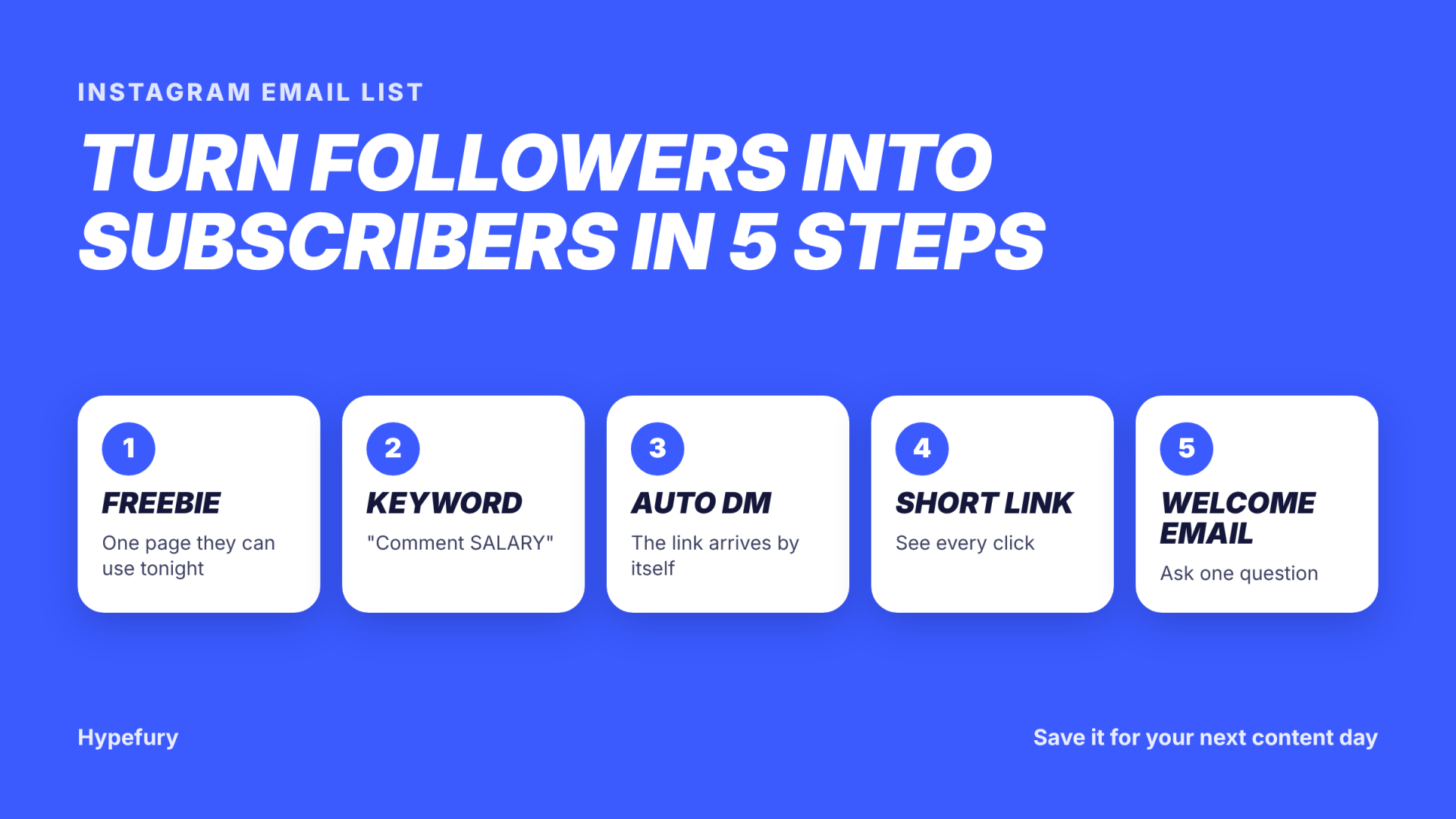
Pick one freebie and ask for one keyword. Let the DM send one short link, then send one welcome email that invites a reply.
Repeat it weekly and your Instagram email list grows from the posts you were already making.
Save this for your next content day, and send it to a friend who keeps saying “I should really start a newsletter.”