Instagram now has a new feature that lets you add music (audio) to your Instagram profile, and people can choose to play it when they visit your profile.
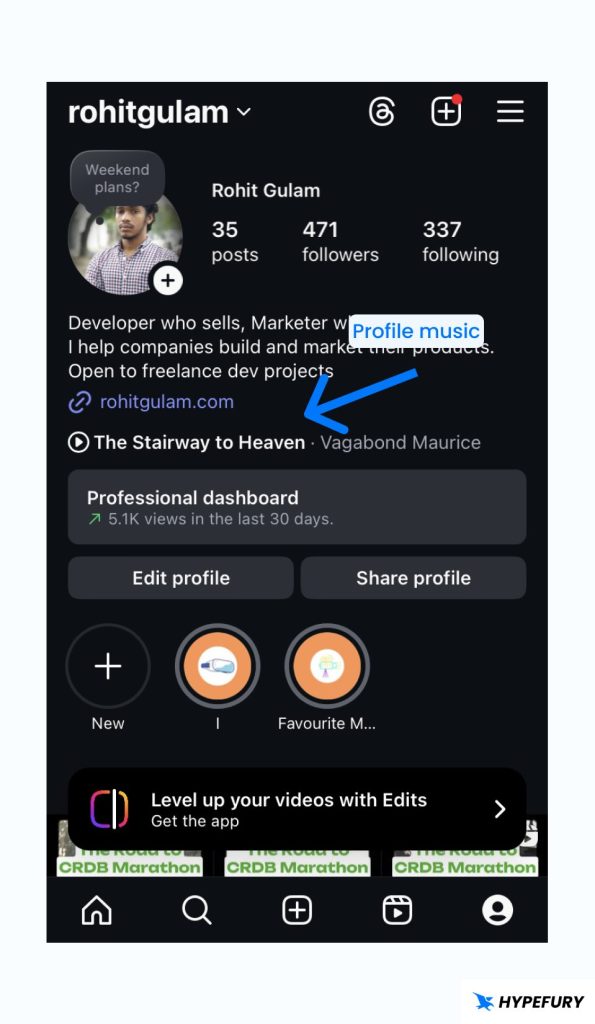
Currently, this feature is only available on the mobile apps. So people can only play the music when using Instagram on the mobile apps (Android or iOS app), and you can only edit the music on your Instagram profile using the mobile apps.
How to Add Music to Your Instagram Profile
You can only add music to your Instagram profile by using the Instagram mobile app. Here is how you can do it:
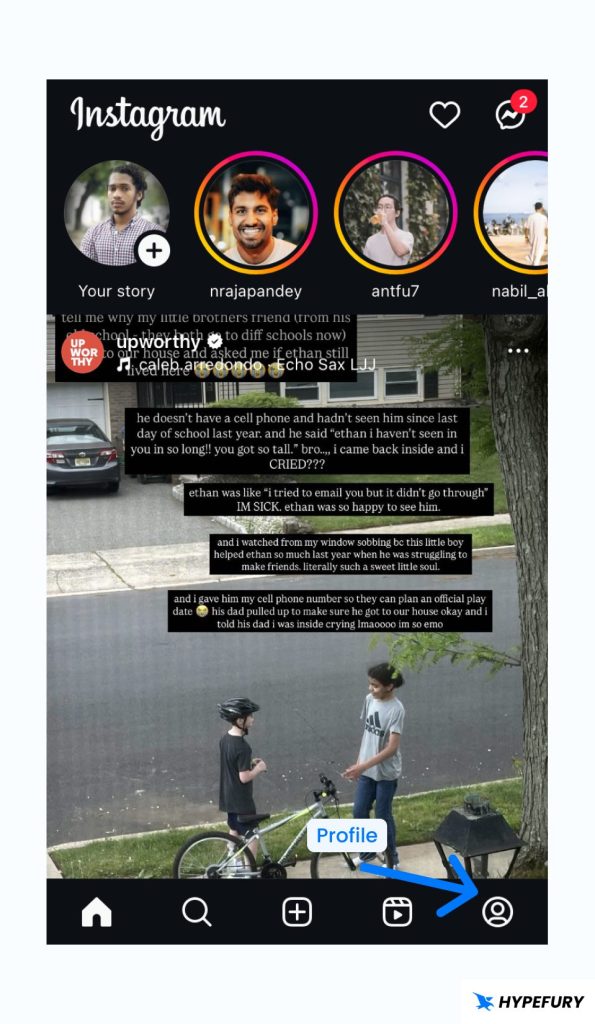
1. Open the Instagram app and click on the profile icon on the bottom left
2. On your profile page, click on Edit profile

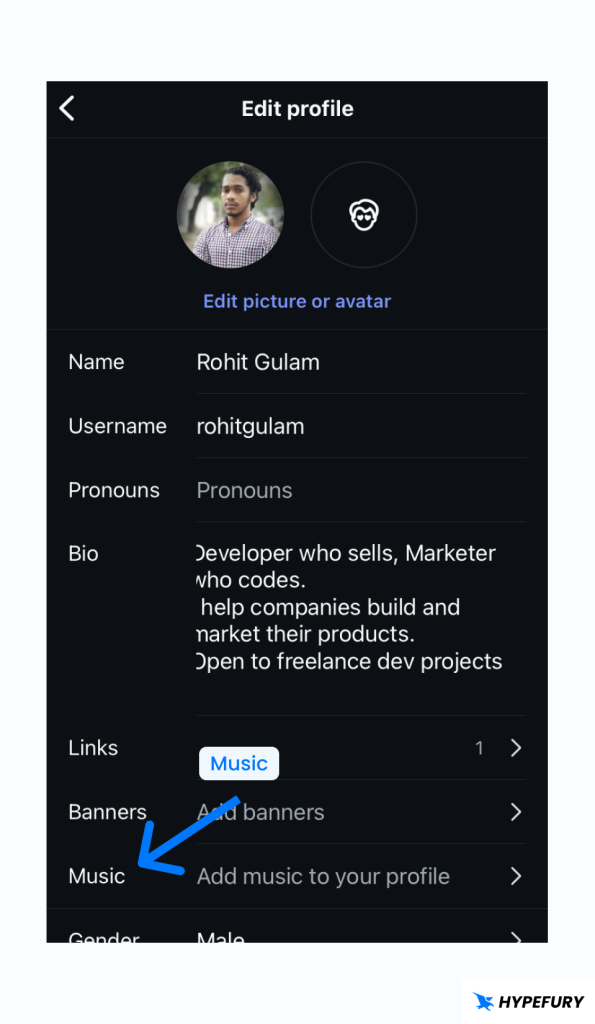
3. Click on Music. Choose the music that you want and click on the right arrow button

4. Choose the part of the music that you want to be played. The music only plays for 30 seconds, so for a long music you have to choose which part you want to be played.
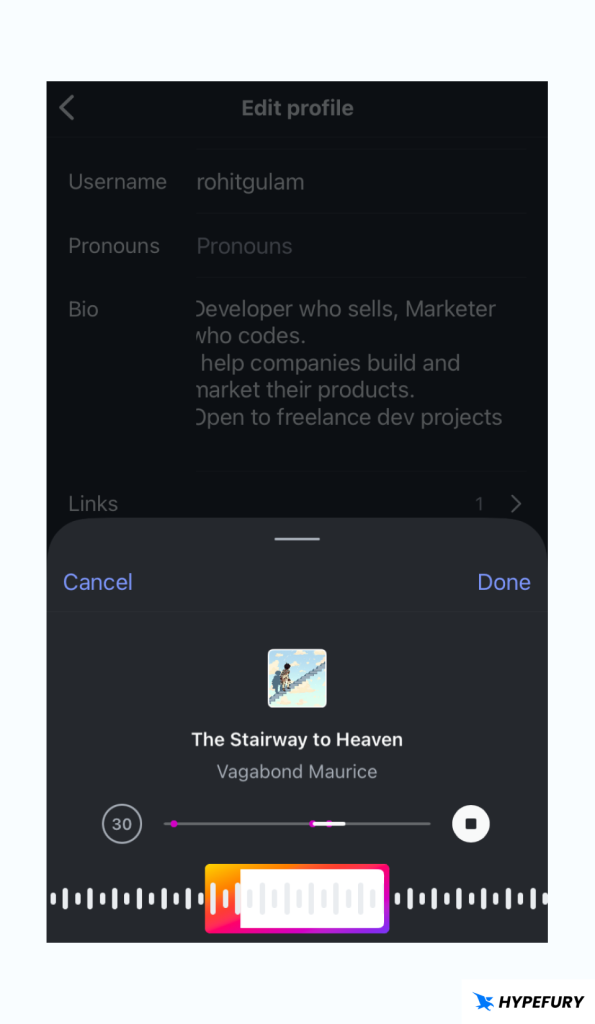
5. Click on Done once you’re done : ) The music will now be added to your profile, and it will be seen by anyone who visits your profile (through the apps.)
How to Listen to an Instagram Profile’s Music
Here’s how you can listen to your profile’s Instagram music or someone else’s website.
1. Go to the profile page of the account that you want to listen to its profile music.
2. If they have music on their profile, you will see the music name and a play button.
How to Change Music on an Instagram Profile
Here’s how you can change the music on your Instagram profile
1. Open the Instagram app and click on the profile icon on the bottom left
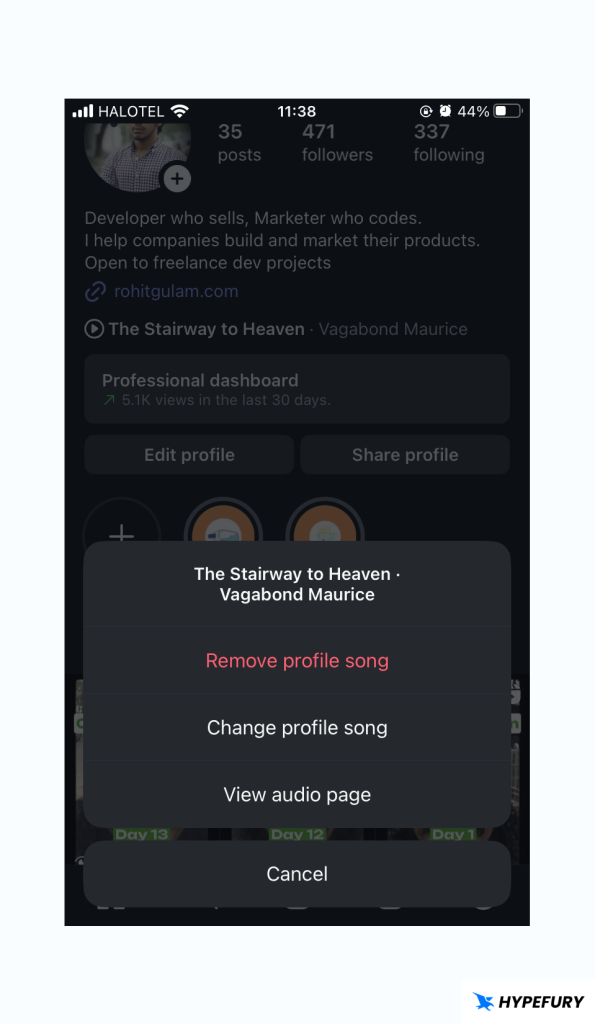
2. On your profile page, click on the music that you currently have.
3. Choose Change profile song and choose the song that you want to change to.
How to Remove Music on an Instagram
Here’s how you can remove the music on your Instagram profile
1. Open the Instagram app and click on the profile icon on the bottom left
2. On your profile page, click on the music that you currently have.
3. Choose Remove profile song.