A Quick Summary of Bluesky Image Sizes
Before we explore each format, here’s a quick summary:
| Media Type | Size |
|---|---|
| Profile picture | 400 x 400 pixels (1:1 Ratio) |
| Profile banner (header) | 1500 x 500 pixels (3:1 Ratio) |
| Single and Multiple Images | Landscape Post (Horizontal):1200 x 627 pixels (1.91:1 ratio) Square Post:1080 x 1080 pixels (1:1 ratio) Portrait Post (Vertical):627 x 1200 pixels (0.52:1 ratio) |
| Link preview | 1200 x 627 pixels (1.91:1 ratio) |
Bluesky Profile Picture Size
Your profile picture is the first thing other users notice about your account. People notice your profile picture even before they visit your profile page because they see it on the feed.
Your profile picture is the first thing other users notice about your account. People notice your profile picture way before they visit your profile page because they see it on the feed.
Yet many people make the common mistake of using the wrong dimensions on their profile picture, and in turn, their profile picture is not on point.
Here are the dimensions you need to know to ensure that you nail your profile picture.
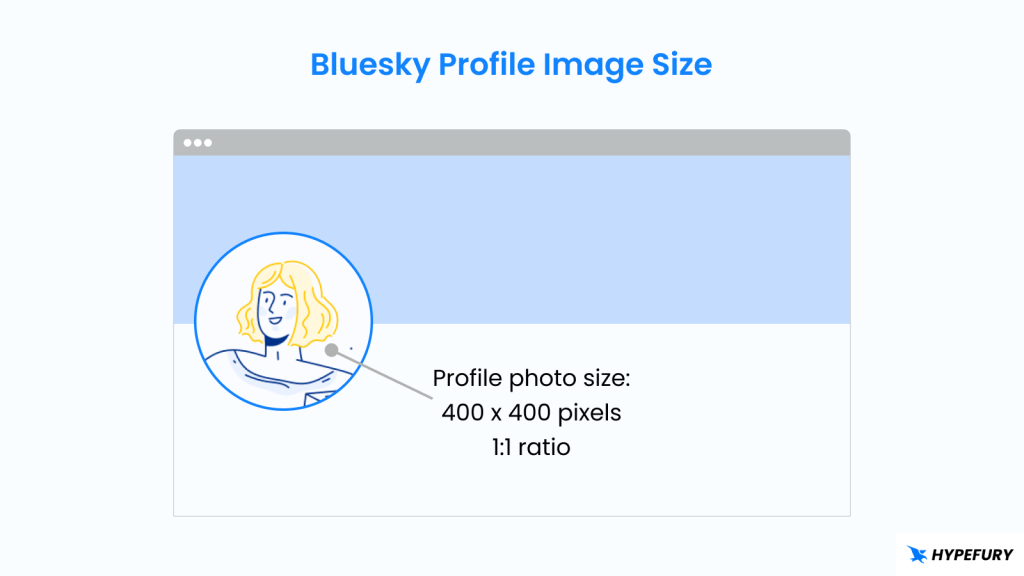
Recommended dimensions: 400 x 400 pixels. Square format
Ratio: 1:1 ratio
Allowed formats: PNG, JPG, SVG
Maximum upload size: 2MB
Tips
1. While you can use any square picture, 400 x 400 pixels is the perfect size. It’s small enough to stay under the size limit, but it’s large enough to display everything perfectly.
2. Center your face vertically and horizontally.
3. For a company logo, make sure that you center it horizontally and vertically because the sides get cropped to form a rounded picture.
Bluesky Banner Size
Your banner is something that users notice instantly when they visit your profile. It works hand in hand with your profile picture to show your brand identity.
Here’s what you need to know:
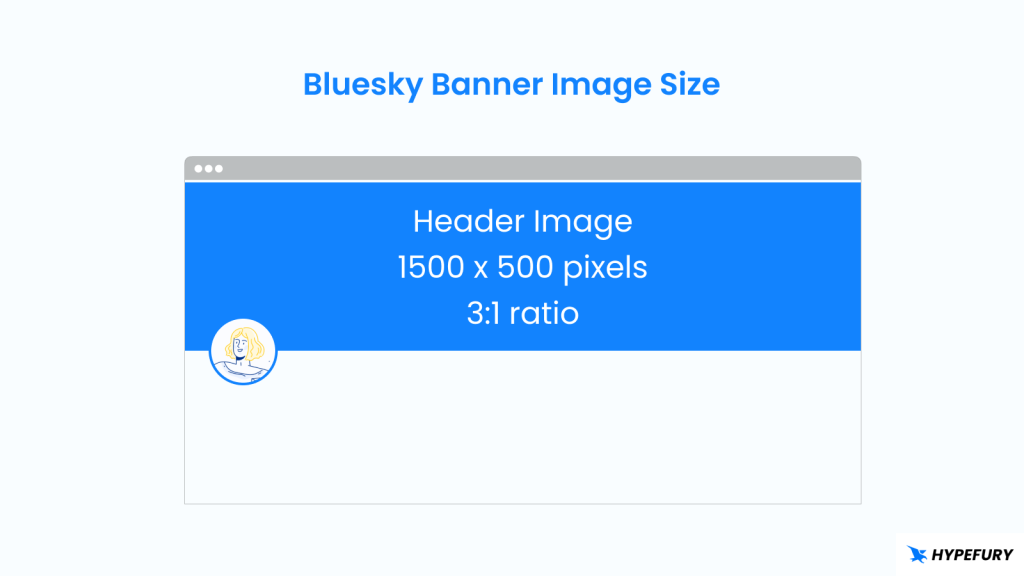
Recommended dimensions: 1500 x 500 pixels. Landscape format
Ratio: 3:1 ratio
Allowed formats: PNG, JPG
Maximum upload size: 1MB
Tips
1. Make sure your key visual elements or text are placed towards the center, as the sides could get clipped.
2. Avoid putting elements or text towards the bottom left, as that’s where your profile picture is, and they will be hidden or clipped. You can use visual elements such as arrows or crowns and place them strategically to work with your profile picture.
3. If you have a tagline, make sure that it’s big enough that it can be read with ease.
4. Test your banner on different devices to check how it looks across different screen sizes
Bluesky Posts Image Size
Bluesky lets you share single and multiple images in posts. Let’s take a look at the optimal dimensions for both.
1. Single Image Posts
Bluesky gives you a little bit of flexibility when sharing single images in a post. You can share images in different dimensions, and Bluesky will accept, adjust, and optimize them to look good on your posts. The good thing is that Bluesky won’t crop your image regardless of the height or width.
Although Bluesky accepts different dimensions, there are a few that work best. Let’s take a look at them:
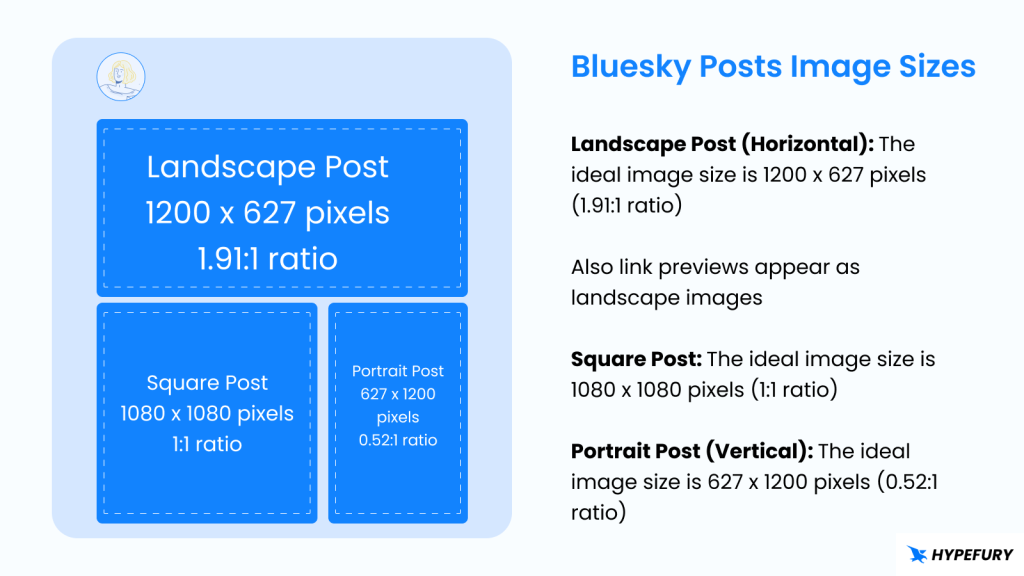
Landscape (horizontal) Images
Recommended dimensions: 1200 x 627 pixels.
Ratio: 1.91:1 ratio
Square Images
Recommended dimensions: 1080 x 1080 pixels.
Ratio: 1:1 ratio
Portrait (Vertical) Images
Recommended dimensions: 627 x 1200 pixels.
Ratio: 0.52:1 ratio
Allowed formats: PNG, JPG, SVG, WebP
Maximum upload size: 5MB
Tips
1. While Bluesky allows different image dimensions, it may lead to inconsistencies in how images look between desktop and mobile. Therefore, it’s better to adhere to the recommended dimensions to maintain consistency.
2. Pay attention to how your image looks in preview before posting so that you can notice if anything looks off, and you can make changes.
2. Multiple Image Posts
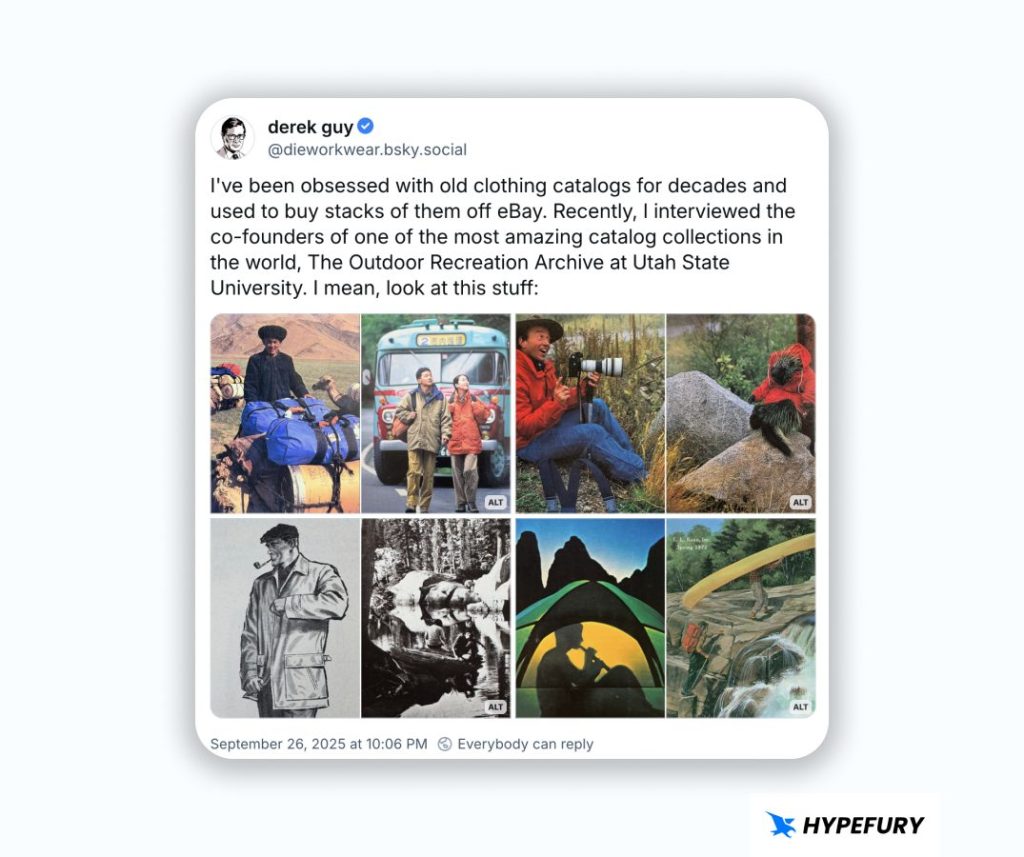
Bluesky allows you to post up to 4 images on a single post. And Bluesky will adjust to show all images without cropping them.
Here’s an example of a post with multiple images:
Tips
1. Multiple images in a single post work with all three image types: Landscape (1200 x 627 pixels), Square (1080 x 1080 pixels), and Portrait (627 x 1200 pixels).
2. Make sure to keep similar image ratios for a single post to ensure consistency
Link Preview Images
Bluesky shows preview images when you share links.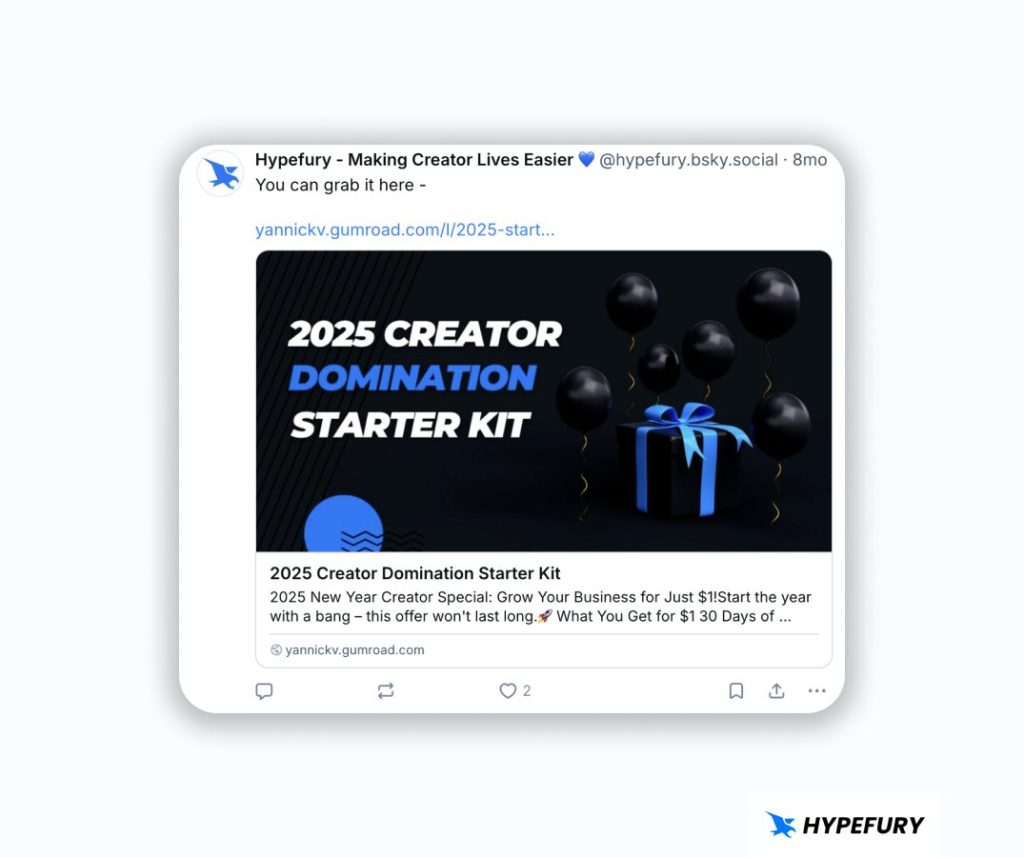 When you paste a URL, Bluesky automatically creates a preview image for your URL from the main image (OG image) on the URL you shared.
While you can leave the default preview image, you can remove it and use a custom preview image. If that’s what you want to do, then make sure that you use the Landscape format (1200 x 627 pixels) to ensure that it looks good.
When you paste a URL, Bluesky automatically creates a preview image for your URL from the main image (OG image) on the URL you shared.
While you can leave the default preview image, you can remove it and use a custom preview image. If that’s what you want to do, then make sure that you use the Landscape format (1200 x 627 pixels) to ensure that it looks good.