How to Add Pronouns to Your Instagram Profile
Here is how you can add your pronouns to your Instagram profile.
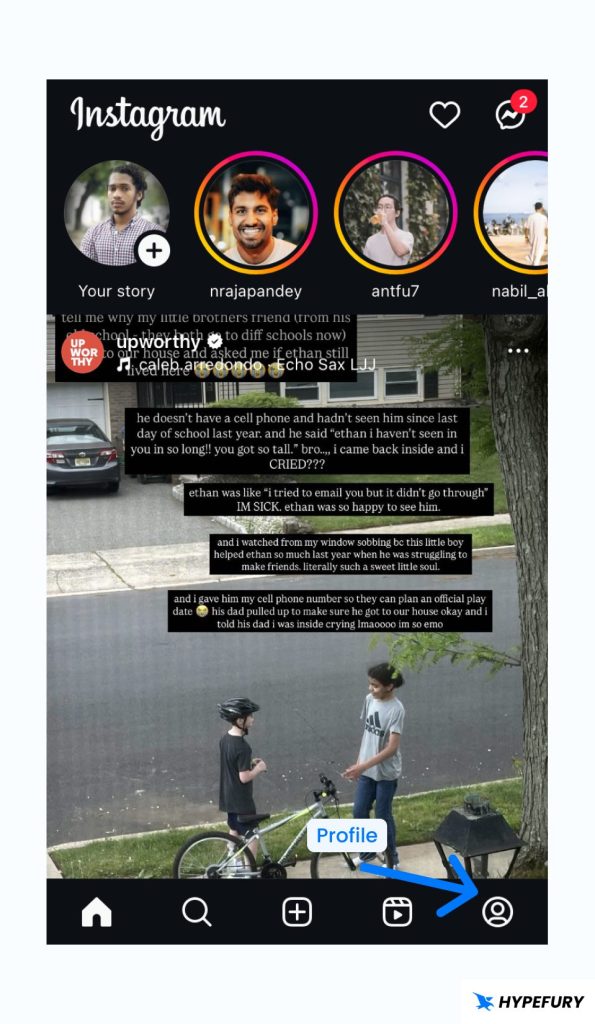
1. Open the Instagram app on your mobile device
2. Go to your profile by clicking on the profile icon on the bottom right
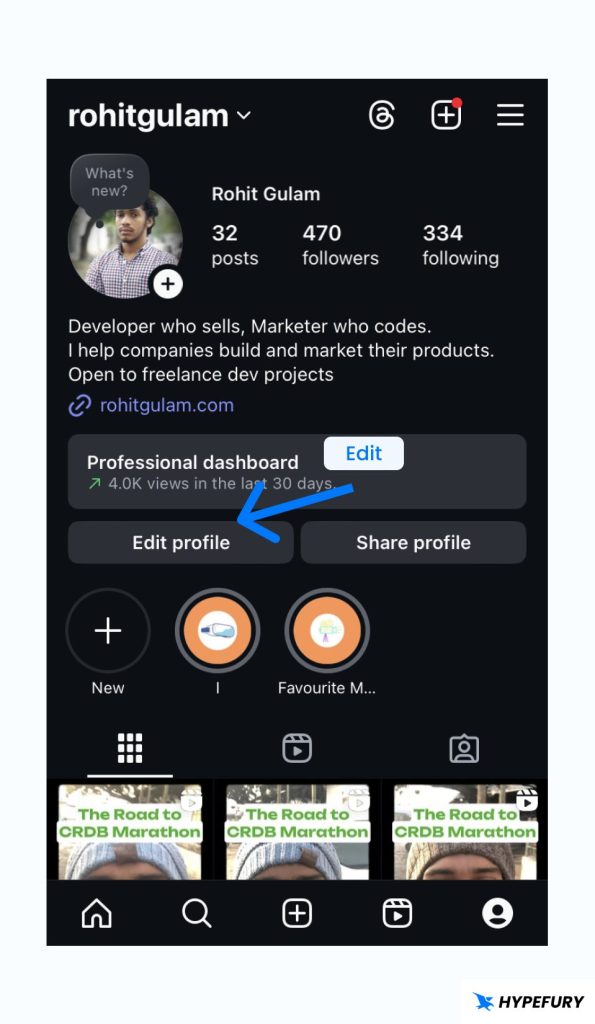
3. Click on the Edit profile button
4. You will see a Pronouns section; tap on it.
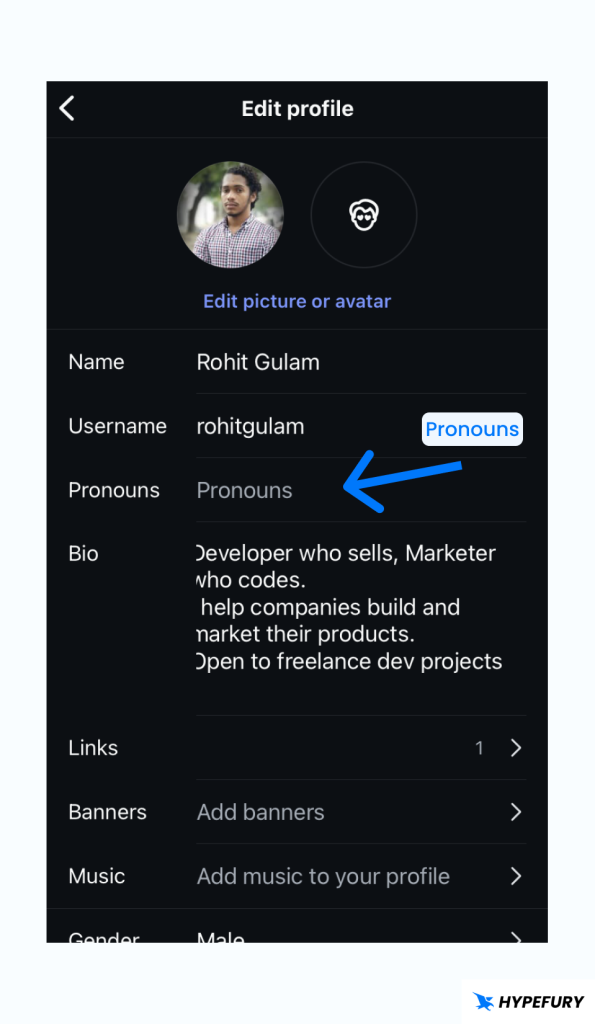
If you can’t see the pronouns section, it may not be available in your region yet. Check back in some time.
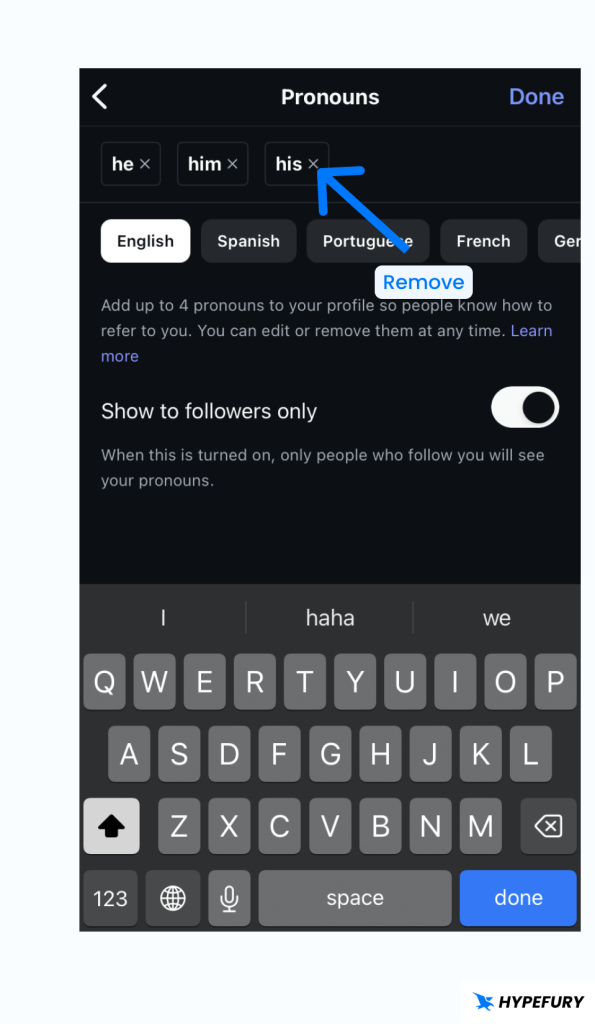
5. In the pronouns page, start by choosing the language first.
6. Then type the pronouns you want in the search section to search for the available pronouns and choose the ones that you want
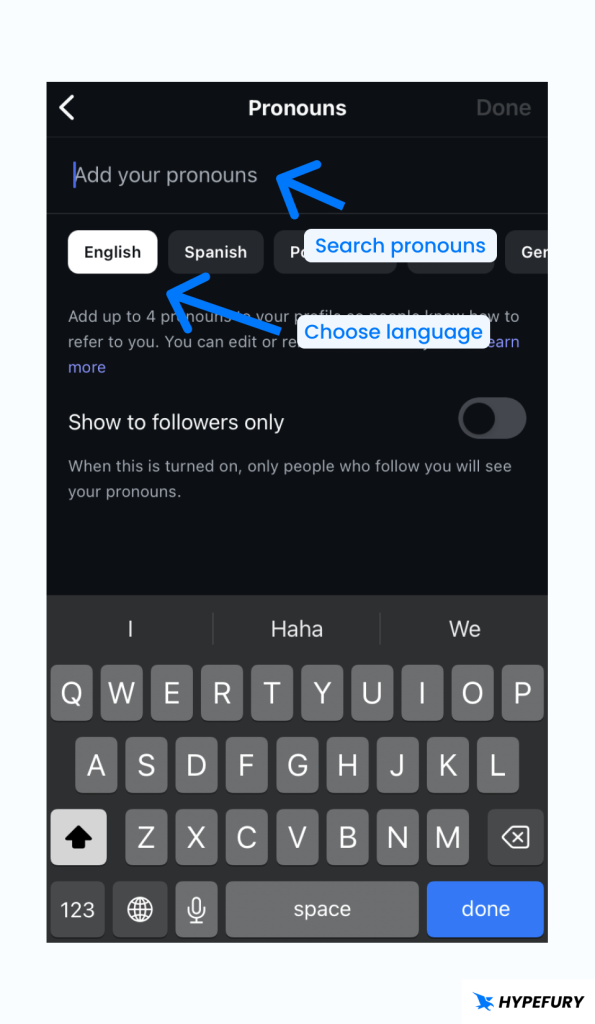
7. Before saving, you have a display option to choose whether to show to all Instagram users or only your followers
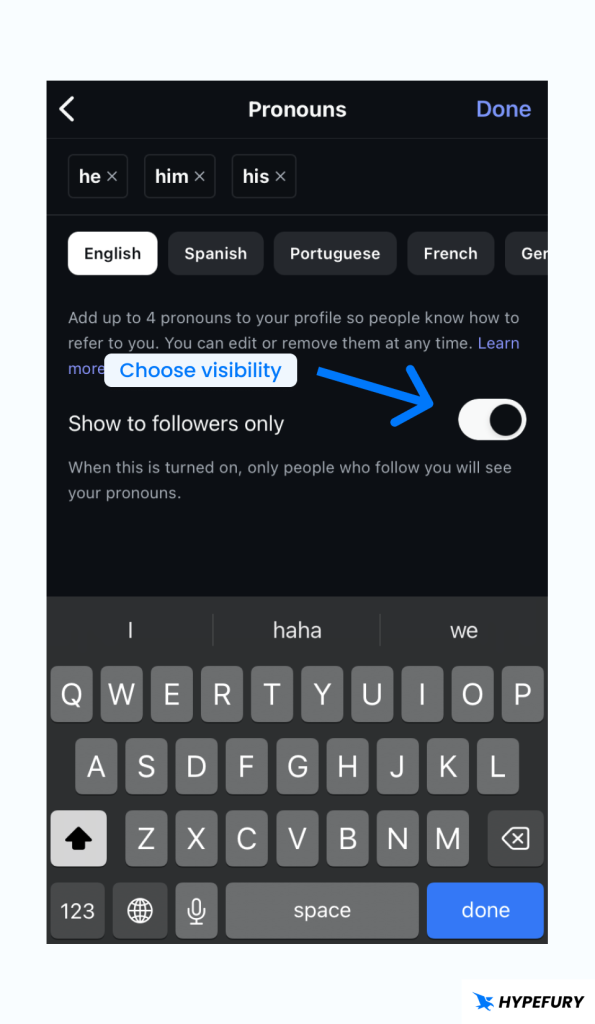
8. Click on Done to save your pronouns
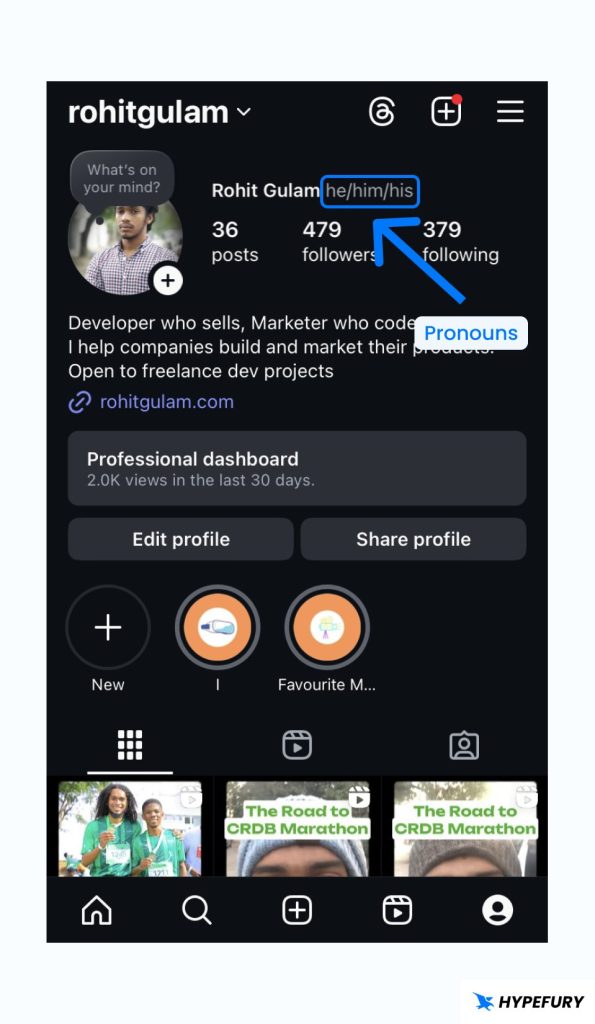
How to Change Who Sees Your Pronouns
You can either show your pronouns to all Instagram users or just your followers. Follow these steps to edit who sees your pronouns
1. Open the Instagram app on your mobile device
2. Go to your profile by clicking on the profile icon on the bottom right
3. Click on the Edit profile button
4. Tap on the pronouns section
5. On the pronouns page, turn on Show to followers only to make your pronouns visible to only followers. Otherwise, keep it off to show your pronouns to everybody
How to Edit or Remove Pronouns on Instagram
1. Open the Instagram app on your mobile device
2. Go to your profile by clicking on the profile icon on the bottom right
3. Click on the Edit profile button
4. Tap on the pronouns section
5. If you want to add another pronoun, then just search for it
5. If you want to remove a pronoun, then click the x button next to a pronoun to remove it.